7 Must have tools for every Hacker

All these tools provided here are free of cost,are tried hands on and are being actively developed by community,and if not,their alternatives are provided.To summarize it up, these are the 7 must have tools for every hacker

HEARTBLEED Bug Explanation

It is a critical bug in the OpenSSL's implementation of the TLS/DTLS heartbeat extension that allows attackers to read portions of the affected server’s memory, potentially revealing users data, that the server did not intend to reveal.

Beginners guide to hacking

The Basic And Advanced Steps of Hacking And Will Help You Develop The Hacker Attitude.You Will Learn Various Kinds Of Hacking

Just Fucking Google it .....

This is for people that ask how to hack facebook and how to unzip a file and how to sfix erorrs in kali linux , and how to hack a wep

Hacking Facebook Using Man in the Middle Attack

Hacking Facebook Using Man in the Middle Attack I will demonstrate how to hacking Facebook using MITM(Man in the Middle). This attack usually happen inside a Local Area Network(LAN) in office, internet cafe, apartment, etc.

Showing posts with label Computer Programming. Show all posts

Thursday, November 6, 2014

Don't learn to code. Learn to think

Don't learn to code. Learn to think.


It seems like everyone is trying to learn to code: Code.org has celebrities like Bill Gates, Mark Zuckerberg, and Chris Bosh telling you anyone can code; CoderDojo's are springing up all over the country; the UK has made it part of their official curriculum for all grade school kids.

I think this is slightly misguided. Don't get me wrong - I do think the world would be better off if everyone had some familiarity with coding - but coding itself should not be the goal. Computers and programming are just tools. They are a means to an end.

The real goal should be to teach people a new way to think. In other words, we should be trying to teach computer science and not just coding. In this blog post, I'll explain the difference between the two, and why focusing on the right one is critical for the movement to succeed.

If you prefer a video explanation, I highly recommend Simon Peyton Jones' wonderful TED talkTeaching Creative Computer Science, which was the inspiration for this post:


Still here for the written version? Great. Let's get started by asking a key question: why should you care about coding or computer science at all?

To answer that, we'll take a walk.

Welcome to the real world
You're probably reading this blog post in Chrome or Firefox, running on Windows or OS X, on a laptop or desktop. I'm guessing you also spent some time today reading email, checking your friends' Facebook statuses, or watching a video on Youtube. Much of your life is on computers these days: your medical records are in a database; you resume is on LinkedIn; you use Google and Facebook to market your products; you use Amazon to buy them; you file your taxes online; you manage your bank account on a website; perhaps you even dabble in digital currencies.

Now, look up from your computer: in your pocket, purse, or on a desk nearby, you may have a smartphone. It's loaded with a GPS, camera, touch screen, and tons of apps. If you're in your living room, you might also have an LCD TV hooked up to digital cable, a DVR, DVD player, Apple TV, XBox, or PlayStation. The movies, music, and games you may play on those devices are packed full of computer graphics and digital audio processing.

Let's head outside. Did you walk past your car? Modern cars are designed using software, built in a factory full of robots, and stuffed full of computers. If you drive your car, you might use Google Maps to find your way around, Yelp to find a place to eat, or TripAdvisor to find a place to stay. Now, look up: somewhere above you, a plane will pass by that is controlled by auto pilot, has in-flight Wifi and entertainment systems, and is constantly communicating with other planes, traffic controllers, and its manufacturer. Somewhere above that, satellites and space stations are orbiting the earth, taking pictures, measuring the weather, and routing phone calls.

Software is eating the world. But this is only the beginning. Before you know it, you'll be wearing technology, locking your doors with computers, using robots to deliver goods and clean your house, building your own electronics, running your own manufacturing plant, living in virtual reality, traveling in self driving cars, and flying to space.

The matrix is everywhere
Absolutely all of the technology I just described is powered by software. In every aspect of your life, you are surrounded by code. And the amount of code is only going to increase in the future.

Now, just because a technology is ubiquitous doesn't mean you have to study it in school. For example, we all fly in airplanes, but getting your pilot's license is not part of the K-12 curriculum.

However, the tools you need to understand how to think about flying are part of the curriculum:
  1. Physics and math help you understand gravity, forces, pressure, velocity, friction, and lift.
  2. Biology teaches you what happens to the human body at high altitudes, with limited oxygen, and extreme cold.
  3. History explains how the airplane was developed, how it evolved, and its role in travel, commerce, and warfare.
By the time you graduate high school, you have an idea of what a plane is, how it works, and how to use it safely. General purpose classes like physics, math, biology, and history teach you how to thinkabout a wide variety of topics, including airplanes; this is in contrast to a class that teaches you how to use a tool, such as how to fly one specific type of airplane.

For the same reason, we should focus on teaching computer science and not just coding: the former is a general purpose way of thinking, whereas the latter is a specific tool. Let's look closer at computer science to get a better understanding of the distinction.

What is computer science?
Computer science is the study of computation: that is, how to represent and process information. Here are just a few of the concepts you might study:
  1. Problem solving: you'll learn algorithms - that is, general strategies, such as divide and conquer, recursion, heuristics, greedy search, and randomized algorithms - that help you model, decompose, and solve any kind of problem.
  2. Logic: you will start to use precise and formal methods of thinking, including abstraction,boolean logic, number theory, and set theory, so you can solve problems in an air tight manner.
  3. Data: you will touch information theory and start asking questions like what is information? How do you represent it? How do you model the real world?
  4. Systems: how do you design and build complex systems that satisfy a set of requirements and constraints? Systems engineering is an essential topic in almost every business.
  5. Thinking: one of the best ways to understand the human mind is to try to replicate it. Topics like artificial intelligence, machine learning, computer vision, and natural language processingare at the forefront of not only computer science, but also biology, psychology, philosophy, and mathematics.
Note that the above list doesn't really mention coding or programming, because they are just toolsthat can perform computation: they are not, in and of themselves, computer science.
Computer science is no more about computers than astronomy is about telescopes, biology about microscopes, or chemistry about beakers and test tubes. Science is not about tools. - Michael Fellows and Ian Parberry
It turns out there is another tool that we rely on for computation even more: the brain! The goal of computer science is to teach your brain new, general purpose, and widely applicable ways to think. As technology becomes more and more ubiquitous, this new way of thinking will become just as important as physics, math, biology, and history.

All that said, thinking alone is not enough: we need to know how to apply it. In physics, you do experiments with scales, prisms, and magnets; in biology, you might use test tubes, plants, and petri dishes; in computer science, you learn programming.

What is programming?
Programming, or writing code, is how you instruct a computer to perform some operation. If you've never written code before, you're probably used to interacting with a computer by clicking on things in an existing app. Under the hood, this app consists of code that tells the computer how to display the application, where to store or retrieve data, and how to react to your clicks.

All of programming is based on the principles of computer science we discussed above. It is remarkable that the same set of concepts - logic, algorithms, data, systems engineering - can be used to build everything from the web browser you're using to read this post to the autopilot software on an airplane. Although programming involves lots of math and structure, it is also a remarkably creative exercise: you think products into existence, one line of code at a time.

Learning programming as part of a computer science education brings about a number of benefits:
  1. DIY: if you can code, you can build things for yourself. You can start simple: create a script to rename a bunch of travel photos or an Excel formula to help calculate your taxes. Then, get fancier: create a website for your portfolio; create a mobile app for your company; build a game to play with your friends.
  2. Troubleshooting: once you've built a few apps yourself, figuring out other apps is easier. Once you stop fearing the computer - the unknown - you will become a master of tech support. As technology touches every part of your life, knowing how to navigate it will become as important as knowing how to read.
  3. Career: the goal of learning computer science is not to become a professional programmer. We all study math, physics, and chemistry in school, but we don't all become professional mathematicians, physicists, and chemists. However, if you do have a passion for it, you'll find that software engineering is one of the highest rated, highest paid, and fastest growing jobs out there.
Putting it all together
Let's recap:
  1. Computer science is a new way of thinking. The concepts in it are useful for every single person in a technology-filled world.
  2. Programming is an essential part of learning computer science by applying the new way of thinking. However, by itself, programming is not nearly as general purpose.
Confusing these two concepts is causing problems for the learn-to-code movement. Slate published an article called Maybe Not Everybody Should Learn to Code; the Atlantic wrote Should Journalism Schools Require Reporters to 'Learn Code'? No; Jeff Atwood wrote Please Don't Learn To Code, where he asks a question that neatly summarizes the confusion:
"How [would] Michael Bloomberg be better at his day to day job of leading the largest city in the USA if he woke up one morning as a crack Java coder?"
This is, of course, the wrong question. It is the result of public campaigns that suggest that learning to code, as opposed to learning to think, is the end goal. If even Jeff Atwood, an experienced and respected programmer, is fooled by this distinction, then the average person has no chance of getting it right. The question we should be asking is:
Would Bloomberg - or anyone else - be better at their job if they improved their ability to think by learning new problem solving strategies and developing a better grasp of logic?
I think the answer here is obvious. As the world fills up with more and more technology, I think the answer becomes even more obvious. This is why we need to focus on teaching computer science and not just coding.

How to get started
The good news is that you don't need to wait for Code.org to get this message - you can start learning computer science right now! In fact, it's one of the easiest topics to learn, as all you need is a computer and an Internet connection, and if you're reading this post, you probably have both.

Here are some great resources to get you going:

University courses
  1. Coursera
  2. Udacity
  3. MIT OpenCourseWare
  4. Stanford Engineering Everywhere
  5. Academic Earth
Online tutorials
Communities and clubs
  1. CoderDojo
  2. Girls Who Code
  3. Girl Develop It
  4. Code.org
  5. Coding meetup Groups

Friday, May 23, 2014

10 Programming Languages You Should Learn in 2014

The tech sector is booming. If you've used a smartphone or logged on to a computer at least once in the last few years, you've probably noticed this.
As a result, coding skills are in high demand, with programming jobs paying significantly more than the average position. Even beyond the tech world, an understanding of at least one programming language makes an impressive addition to any resumé.
The in-vogue languages vary by employment sector. Financial and enterprise systems need to perform complicated functions and remain highly organized, requiring languages like Java and C#. Media- and design-related webpages and software will require dynamic, versatile and functional languages with minimal code, such as Ruby, PHP, JavaScript and Objective-C.
With some help from Lynda.com, we've compiled a list of 10 of the most sought-after programming languages to get you up to speed.

1. Java

Java

What it is: Java is a class-based, object-oriented programming language developed by Sun Microsystems in the 1990s. It's one of the most in-demand programming languages, a standard for enterprise software, web-based content, games and mobile apps, as well as the Android operating system. Java is designed to work across multiple software platforms, meaning a program written on Mac OS X, for example, could also run on Windows.
Where to learn it: Udemy, Lynda.com, Oracle.com, LearnJavaOnline.org.

2. C Language

C Language

What it is: A general-purpose, imperative programming language developed in the early '70s, C is the oldest and most widely used language, providing the building blocks for other popular languages, such as C#, Java, JavaScript and Python. C is mostly used for implementing operating systems and embedded applications.
Because it provides the foundation for many other languages, it is advisable to learn C (and C++) before moving on to others.

3. C++

C Plus Plus

What it is: C++ is an intermediate-level language with object-oriented programming features, originally designed to enhance the C language. C++ powers major software like Firefox, Winamp and Adobe programs. It's used to develop systems software, application software, high-performance server and client applications and video games.

4. C#

C Sharp

What it is: Pronounced "C-sharp," C# is a multi-paradigm language developed by Microsoft as part of its .NET initiative. Combining principles from C and C++, C# is a general-purpose language used to develop software for Microsoft and Windows platforms.

5. Objective-C

Objective-C

What it is: Objective-C is a general-purpose, object-oriented programming language used by the Apple operating system. It powers Apple's OS X and iOS, as well as its APIs, and can be used to create iPhone apps, which has generated a huge demand for this once-outmoded programming language.

6. PHP

PHP

What it is: PHP (Hypertext Processor) is a free, server-side scripting language designed for dynamic websites and app development. It can be directly embedded into an HTML source document rather than an external file, which has made it a popular programming language for web developers. 

7. Python

Python

What it is: Python is a high-level, server-side scripting language for websites and mobile apps. It's considered a fairly easy language for beginners due to its readability and compact syntax, meaning developers can use fewer lines of code to express a concept than they would in other languages. It powers the web apps for Instagram, Pinterest and Rdio through its associated web framework, Django, and is used by Google, Yahoo! and NASA.
Where to learn it: Udemy, Codecademy, Lynda.com, LearnPython.org, Python.org.

8. Ruby

Ruby

What it is: A dynamic, object-oriented scripting language for developing websites and mobile apps, Ruby was designed to be simple and easy to write. It powers the Ruby on Rails (or Rails) framework, which is used on Scribd, GitHub, Groupon and Shopify. Like Python, Ruby is considered a fairly user-friendly language for beginners.
Where to learn it: Codecademy, Code School, TryRuby.org, RubyMonk.

9. JavaScript

JavaScript

What it is: JavaScript is a client and server-side scripting language developed by Netscape that derives much of its syntax from C. It can be used across multiple web browsers and is considered essential for developing interactive or animated web functions. It is also used in game development and writing desktop applications. JavaScript interpreters are embedded in Google's Chrome extensions, Apple's Safari extensions, Adobe Acrobat and Reader, and Adobe's Creative Suite.
Where to learn it: Codecademy, Lynda.com, Code School, Treehouse, Learn-JS.org.

10. SQL

SQL

What it is: Structured Query Language (SQL) is a special-purpose language for managing data in relational database management systems. It is most commonly used for its "Query" function, which searches informational databases. SQL was standardized by the American National Standards Institute (ANSI) and the International Organization for Standardization (ISO) in the 1980s.

Monday, April 14, 2014

Top 6 Websites To Learn Computer Programming Languages

Learn Computer Programming
Ever wanted to learn computer programming languages, but didn't know where to start? Well, those days are over. Today learning programming languages is not really a hard job. If you are a beginner and have aptitude to learn computer programming then you can accomplish this goal within a few months. Here are the top 6 websites, which are useful for learning programming.

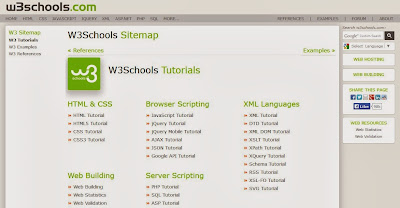
1. W3schools.com

If you are a beginner or intermediate programmer, then w3schools is an excellent website for learning programming. W3schools offer tutorials for a variety of web programming and scripting languages such as html, html5, css, asp, Ajax, JavaScript, php, jQuery etc. So, if you are into web development then w3schools would be a great learning resource.
Learn Computer Programming

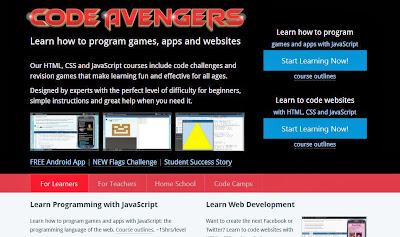
2. Codeavengers.com:

If you want learn coding for making games, apps or websites using html/html5, css3, JavaScript python, but want an entertaining teaching resource. Then codeavengers.com is ideal choice for you. Codeavengers.com was designed by keeping difficulty for beginners in mind. It provides a fun and interactive learning environment that is effective for all age groups. Even if you are an intermediate programmer, you might find some great learning stuff there.

Learn Computer Programming

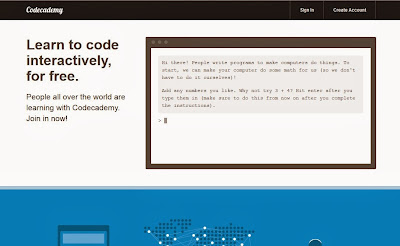
3. Codecademy.com

Codeacademy is another great website, for learning languages like JavaScript, HTML/CSS, PHP, Python, and Ruby. You can even learn how to use some popular web APIs in your website or app.  Codeacademy has a great modern learning system, which is based on user interaction. It has full-fledged programming courses for beginners. Again, this website is great for beginners and intermediate learners. But advanced programmers can also find some pretty useful stuff there.

Learn Computer Programming

4. tutorialspoint.com

Tutorialspoint has tutorials for a lot of web, high level and scripting languages that are commonly used today. You can find tutorials for any computer language that you have ever heard of (those that are currently in used). Apart from that, it also features a variety of tutorials for other fields such as DIP, OS, SEO, Telecom, DBMS, and frameworks etc.  Some commonly used languages that you can learn there are: Java, C++, PHP, Python, Ruby, C#, Perl, VB.Net, ios.

Learn Computer Programming

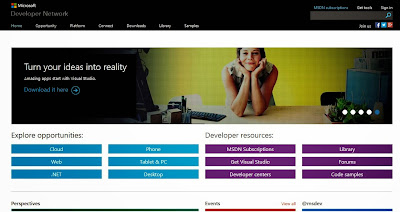
5. msdn.microsoft.com

Although, beginner programmers might find MSDN (Microsoft Developer Network) a tough learning resource, it is still the best resource you can get, if you want to master Microsoft oriented languages such as VB.Net, C# etc. MSDN has great tutorials for beginners, intermediate and advance programmers.
Learn Computer Programming

But as I stated earlier, beginners might not be initially comfortable with MDSN, as I has really a lot of resources that it would be a hard time for beginners to find what they are looking for. But if you get used to MSDN, then it is the ideal learning point for Microsoft oriented languages. You can get a lot of sample applications, tutorials and resources that are uploaded by Microsoft and MSDN community. Since it’s a developer’s network, you can even find development help from community members.

6. Lynda.com

You might already know about Lynda.com. Lynda offers easy to follow video tutorials. Lynda.com is an old and well established tutoring site, if you are looking for video tutorials to learn computer languages, then Lynda is your ideal choice. Apart from programming languages, Lynda also offers tutorials for a variety of other fields such as 3D modeling, CAD, Photography etc. Lynda.com is an old and well established tutoring site.

Learn Computer Programming
So the next time someone asks you about your computer skills, you know where to turn. I hope you will learn a lot from these websites. All the best :)

8 Awesome Tips For Freelance Programmers

A freelance programmer can enjoy a nice career. Not only that, he or she can avoid working at a large corporation where they will have to deal with company politics and an eventual ceiling. Of course, it is not all fun and games as a well-trained and hardworking programmer should follow some basic tips if he or she wants to enjoy success in this arena. With that in mind, here are eight tips for freelance programmers.

1. Constant communication:

When taking on a project, one should communicate with the business as often as possible. This means, when speaking to the client, one should mention any road blocks or any accomplishments. With an open door policy, the programmer will have an easier time keeping clients happy and informed.

2. Educating:

While most software developers possess a lot of skills and brains, it is wise to attend more computer classes. By continuing the education, a hardworking programmer can learn more and avoid getting left behind by the competition. In fact, this is extremely important as this field is ever-evolving and new coding ideas and techniques come up all the time.

3. Do not sell yourself short:

All-too-often, an independent contractor or business owner will ask for a low wage. When doing this, one will hurt their long-term chances for success. While it is not wise to ask for top dollar, it is beneficial to demand a livable wage. Believe it or not, when dealing with a confident programmer, a company is likely to give in to the financial demands.

4. Home office:

Whether a person works from home or at the office all the time, they should still have a home office. With this, a programmer can complete tasks without interruption from spouses, children or animals. Without a doubt, this is extremely important as a serious programmer will need to concentrate on the task at hand.

5. Have website and online presence: 

Now, more than ever, a company owner or contractor should have a website and online presence. With this, a reliable software developer can reach millions of potential clients. At the same time, while making a website, one should keep it simple, straightforward and easy to understand. With this, a programmer can showcase his or her talent for the world to see.

6. Outsource quality assurance: 

It is not easy for a programmer to check out his or her programs and code. To avoid turning in a bad product, a smart developer should hire a contractor who can check out the code. By taking a few hours to go over everything, a quality assurance analyst can find any issues and report back to the programmer. This is a great idea as one mistake can result in serious problems in the short and long run.

7. Speak up:

Often, a foolish client will want an unrealistic or impractical solution. While the customer is always right, it is still beneficial if a programmer voices his or her concerns. This should not cause a lot of problems as most business owners will willingly give in as they will, usually, trust the programmer. Either way, it is wise to remain assertive when talking about the product.

8. Set schedule:

It is often tempting for a business owner to set a weird schedule or work nights and weekends. While this is okay at first, a serious programmer who wants to succeed should opt to work a typical 9-5 schedule. This allows other business owners to stay in contact and communicate with the programmer. Since most other entrepreneurs love to work 9 to 5, this is a great way to go above and beyond and offer solid customer support.

It is not easy to work as an independent software programmer. With that in mind, with a few basic tips, a developer can take his or her ideas to the next level. Remember, when focused and ready, a programmer will please his or her clients and make a nice living in the process.